Creating visually compelling and impactful presentation slides is a core task for students, professionals, educators, and business teams. Yet building a well-structured, beautifully designed PowerPoint presentation manually can be time-consuming, distracting users from the message they want to deliver. AI PPT transforms this process by offering a smart AI-powered tool that generates high-quality presentations quickly and efficiently—without the need for design skills or hours of formatting.
From startup pitches and business reports to school assignments and training sessions, the platform makes professional slide creation accessible to everyone. With intelligent structure, automated formatting, and design consistency, users spend less time building slides and more time refining ideas and delivering value.
What Is AI PPT and How It Works
AI PPT is an AI-driven presentation generation tool that automatically creates structured, visually appealing slide decks from simple text prompts. Instead of opening a blank slide and starting from scratch, users enter topics, content points, or objectives, and the system’s intelligent engine turns this input into a fully designed presentation.
The platform uses machine learning models to interpret context, organize ideas coherently, and apply design best practices so that slides are informative, readable, and impactful. Users can then download, customize, or present directly from the platform.
This makes the creation process both faster and more intuitive—ideal for users with tight deadlines and high expectations for quality.
Key Features That Power AI PPT
AI PPT combines multiple tools into one centralized interface to support complete slide deck creation:
- AI-generated presentations from text or topic input
- Automatic design and layout application
- Content organization and flow creation
- Template variety for different use cases
- **Export options for PowerPoint and PDF formats
- Editable slides for further refinement
These features help users spend less time on formatting and more time on refining content and delivery.
Why AI-Powered Slide Creation Matters
Presentations are more than just visuals—they communicate ideas, influence decisions, and support action. However, connecting compelling content with design that reinforces its message can be challenging without experience. AI PPT removes this barrier by combining intelligent content structuring with professional layout choices.
Instead of choosing fonts, aligning elements, or fixing spacing manually, users get a cohesive deck where structure and visuals enhance clarity. This saves time and ensures that presentations look polished and professional—even for those with no design background.
Use Cases for AI-Generated Presentations
This platform supports a wide range of presentation needs:
- Business proposals and investor decks
- Sales reports and performance reviews
- Educational lectures and school projects
- Workshops, seminars, and training sessions
- Marketing strategies and campaign plans
From corporate teams to students, the tool adapts to diverse use cases and helps users produce compelling visual narratives.
How AI Improves Workflow and Productivity
Traditional presentation creation often starts with a blank slate, requiring users to juggle structure, copy, and design simultaneously. AI PPT streamlines these tasks by:
- Organizing content logically: The platform identifies key ideas and sequences them into a coherent structure.
- Applying professional designs: It automatically formats visuals for readability and aesthetic appeal.
- Reducing manual editing: Users can start with a complete draft and make minor adjustments instead of building from scratch.
This process saves hours of work and helps users deliver consistent, high-impact presentations with minimal friction.
Design Variety and Customization Options
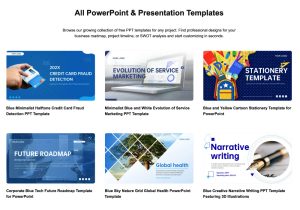
AI PPT offers multiple template styles to match different themes and audiences—from modern corporate layouts to creative and educational formats. Users can:
- Switch color schemes and themes
- Adjust fonts and visual elements
- Add charts, visuals, and icons
- Edit text and section headings
This flexibility ensures that each presentation aligns with its purpose and audience expectations.
Export Options and Sharing Ease
Once the AI generates a presentation, users can export it into familiar formats like PowerPoint slides or PDF. This enables easy integration with other workflows, collaboration tools, or offline use. Exporting also makes it simple to share finalized decks with teams, clients, or instructors.
Plans, Pricing, and Value Opportunities
AI PPT typically offers subscription plans tailored to different user needs:
- Free trial or starter access to explore core features
- Personal plans for individual users
- Professional plans for frequent or business use
- Team or enterprise plans for collaborative workflows
Many users also search for promo codes, coupon deals, and discount offers to make subscriptions more affordable. Limited-time offers and verified coupon opportunities help students, freelancers, and small teams unlock advanced features at a lower cost.
Who Benefits Most from AI PPT
The platform supports a wide range of users, making it versatile and valuable:
- Students preparing school or college presentations
- Professionals presenting reports and proposals
- Entrepreneurs pitching to investors and stakeholders
- Marketing teams creating visual strategies
- Educators building lesson materials
- Anyone needing polished slides with minimal effort
Its ease of use and intelligent automation make it suitable for beginners as well as experienced presenters who want to save time.
Why AI Slide Tools Are Becoming Essential
Presentations remain one of the most common ways to communicate ideas in academic, corporate, and creative environments. As expectations for design quality and content clarity rise, traditional tools struggle to keep up with the demand for speed and professionalism.
AI-powered platforms transform this process by automating design and organization while preserving quality and impact. This makes slide creation more efficient, consistent, and accessible to all users.
Tips to Maximize AI PPT Output
To get the best results:
- Provide clear, structured input: Specific details help the AI generate more accurate content organization.
- Choose appropriate styles: Select templates that match the presentation’s tone and purpose.
- Refine visuals after generation: Minor tweaks help tailor the deck to your specific audience.
These strategies help users extract maximum value from automated presentation generation.
The Future of AI in Presentation Creation
As AI continues reshaping digital workflows, tools like AI PPT represent a shift toward smarter content automation. Instead of spending hours formatting, users can focus on refining ideas, rehearsing delivery, and engaging audiences. This evolution helps teams and individuals work more efficiently while raising the quality of visual communication overall.
Final Thoughts
AI PPT offers a modern, efficient, and accessible solution for anyone needing professional presentations without the hassles of manual design. By combining intelligent content structuring with clean design templates, it empowers users to produce polished slide decks with minimal effort.
For students, professionals, and teams alike, this platform provides a reliable, time-saving way to turn ideas into impactful presentations—helping users communicate more effectively and confidently in any setting.
Visit Site
